
User Access States
As a user, there are several states that your profile can be in. This can be determined by the administrators, or by your level of activity on the platform.
This guide will go through the different states, as well as how they are achieved and how to change them.
Locked account
Ten failed sign-in attempts will cause your account to be locked; a locked account cannot be used.
Contact your Organization Admin to unlock your account.
Suspended Account
There are two reasons your account may be suspended:
-
Your account has been inactive for 60 days. In this case, you will receive an email notifying you of your inactivity both seven days and one day prior to the suspension.
-
An administrator has suspended your account.
Depending on a your previous activity, 60 days of inactivity may be defined in different ways:
-
if you have already logged in, inactivity is measured from your last successful login
-
if you have never logged in, it is measured from when your account was first created, at the time of the initial invitation
Only a successful login resets the counter, therefore:
-
admin actions such as unsuspending or resending the activation email do not reset the counter
-
unsuspending/password reset will grant a 24-hour grace period however, you must complete the activation/password reset and log in during that period to avoid being suspended again
A suspended account cannot be used, however, if your account has been suspended due to inactivity, you can unsuspend your account by resetting your password.
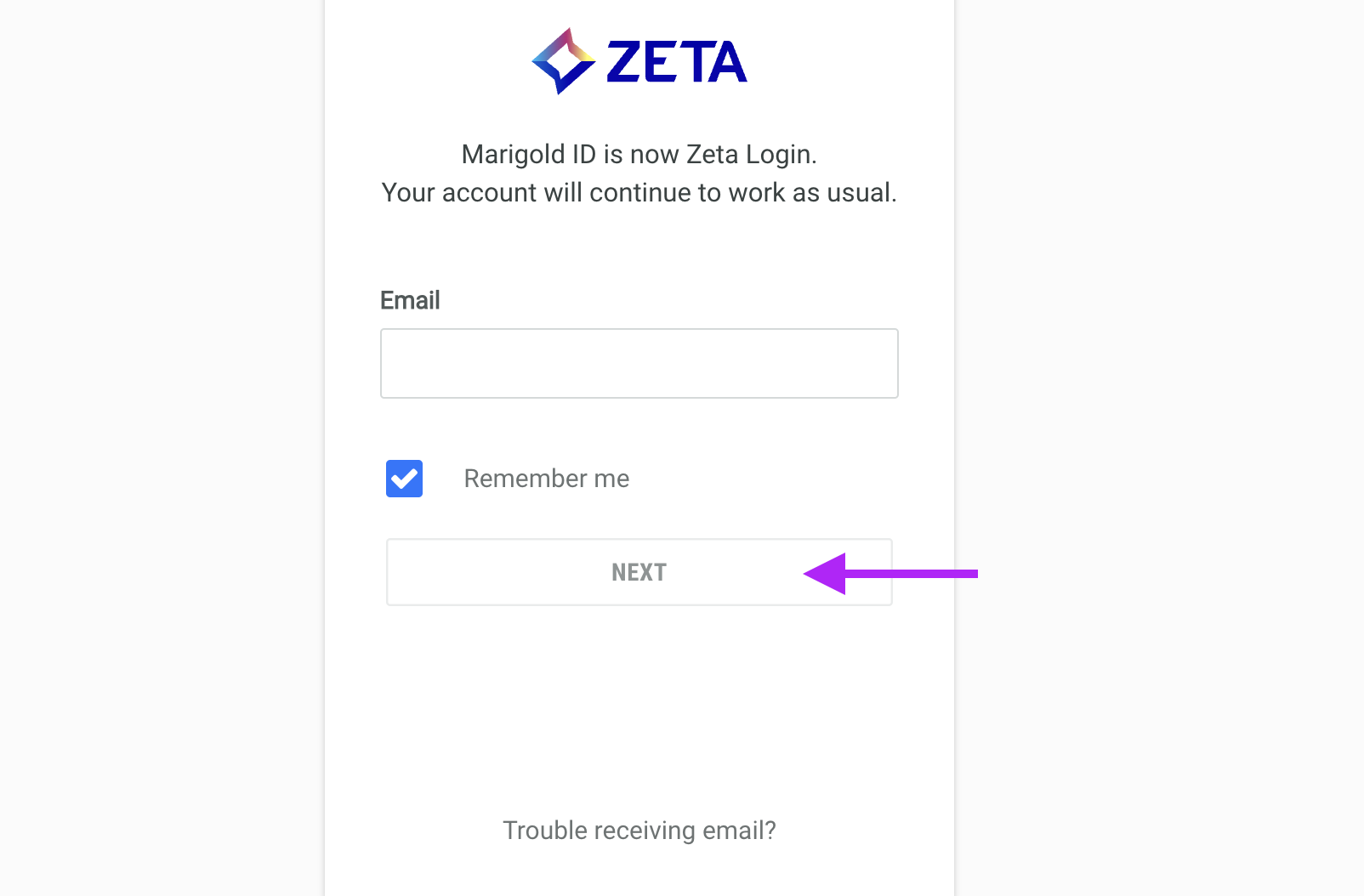
You can reset your password via the Zeta Login login screen.
On the login screen, enter your email address and click Next.
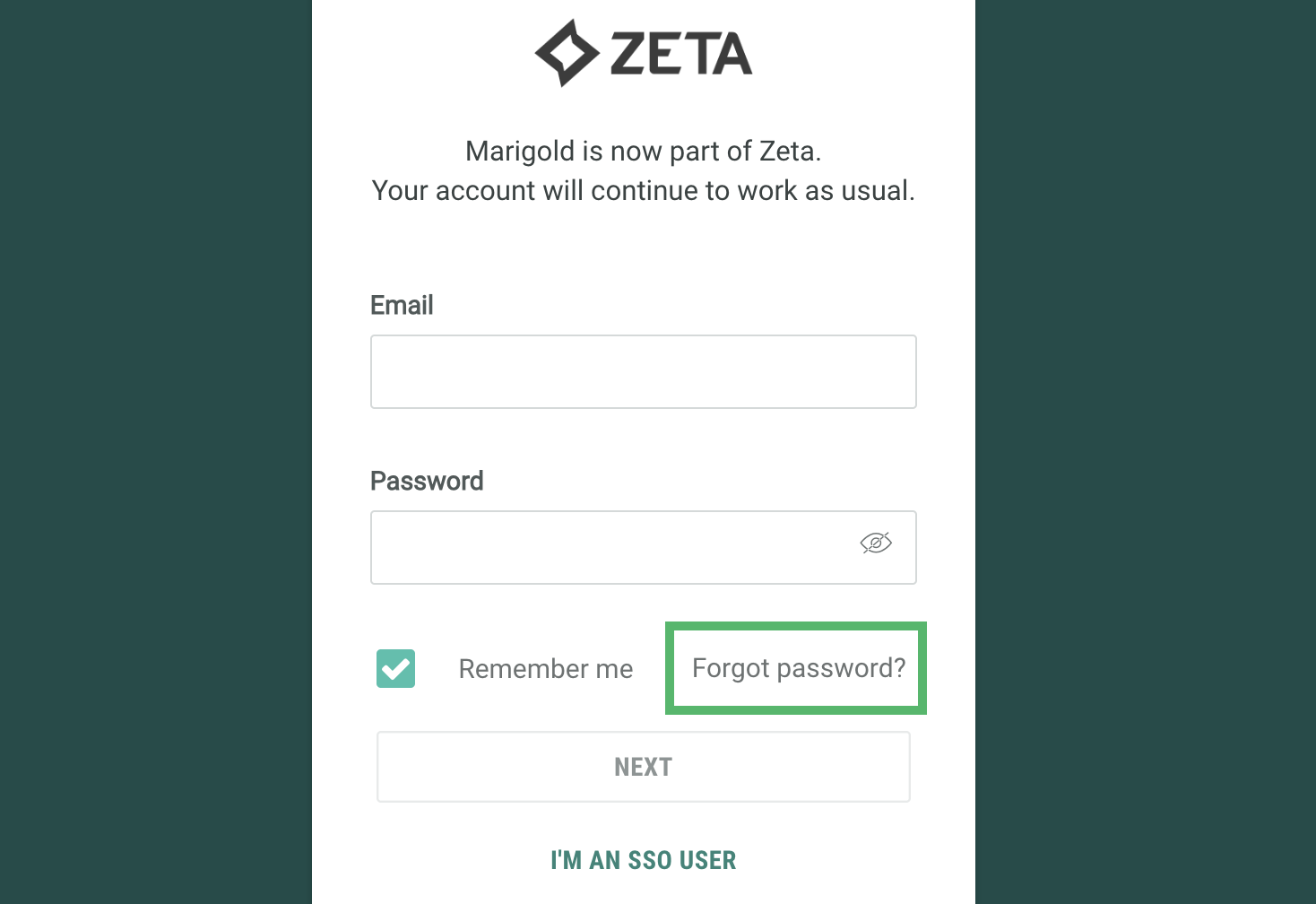
When asked to enter your password, click Forgot Password?
Enter the email address associated with you account and click Next
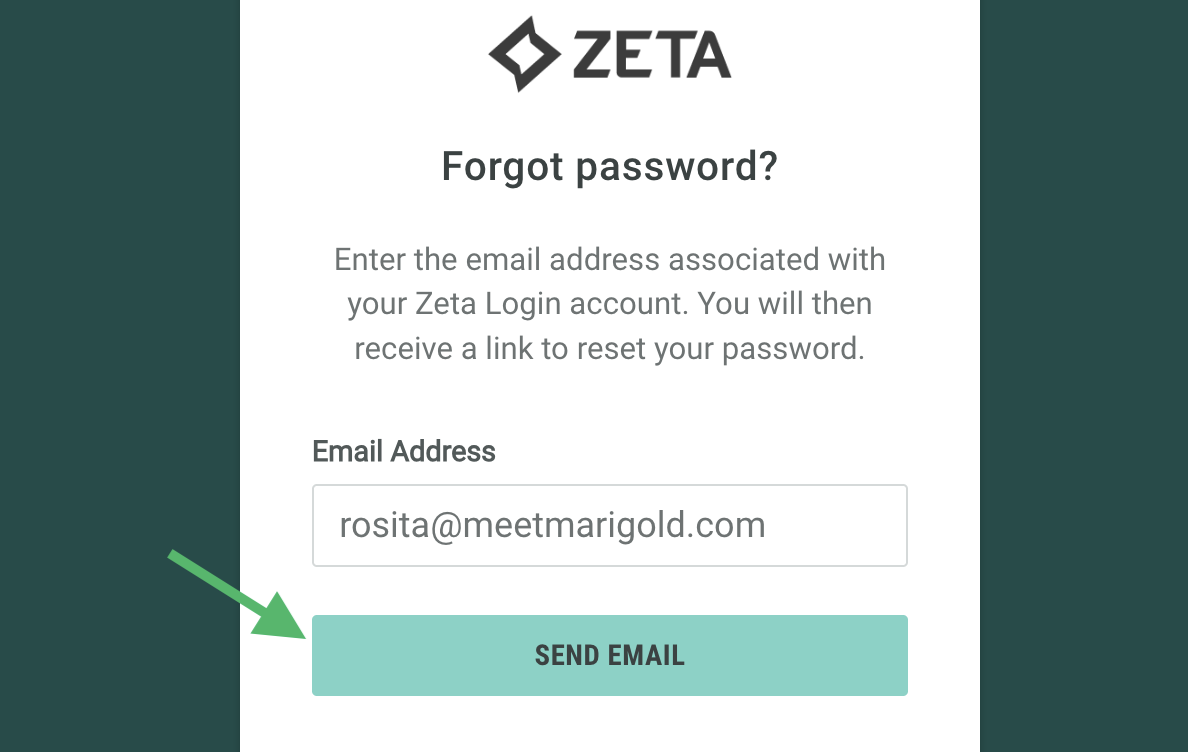
You will receive an email with a link to reset your password; follow the instructions and enter a new password to reactivate your account.
Alternatively, contact your Organization Admin.
Note: If an administrator has suspended your account, you will not be able to gain access via resetting your password and you must contact an Organization Admin to unsuspend your account.
Deactivated account
To maintain security, limit data retention, and to protect the privacy of your users, Zeta Login will deactivate any user account 120 days after was suspended. Contact your Organization Admin in the first instance to activate your account.